

Page: Webhooks
Who this is for: people who connect other systems, such as GitHub, Stripe or your own app, so they can start workflows.
Before you start: everyone can see this page. To add, pause or change an endpoint you need the Manage webhooks permission (Admin and Editor). To show the signing secret you need the Reveal secrets permission (Admin). Rotating and deleting need a person with Manage webhooks.
A webhook endpoint is an address that another system sends events to. Each delivery starts the workflows that listen on that endpoint (with on: webhook: endpoint: <name>).
The list
Section titled “The list”| Column | What it shows |
|---|---|
| Name | The name workflows listen on, for example devices-changed. |
| URL | The address to give the sender. Copy the URL copies it. |
| Checked with | Signed (HMAC-SHA256), Bearer token or Username and password. |
| State | On or Paused. |
| Last event | When the last delivery arrived, or None yet. |
Add an endpoint opens a form: Name, Description, Sender (Any system, GitHub or Stripe) and How requests are checked. Select Create the endpoint. You get the URL and signing steps. The signing secret is not shown there.
When there are none, the page says No webhook endpoints yet.
One endpoint
Section titled “One endpoint”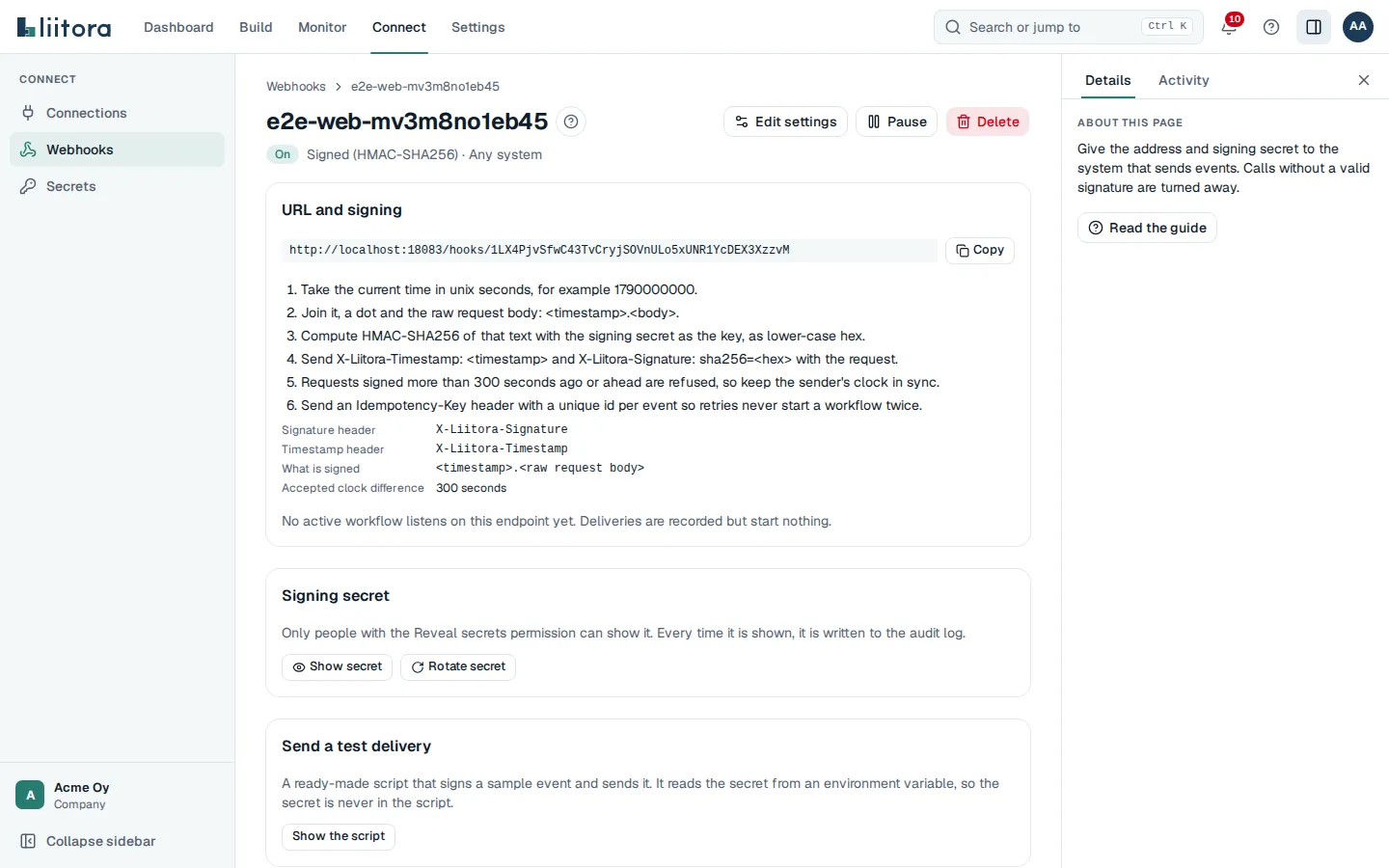
- URL and signing: the URL, numbered steps for the sender, the Signature header, Timestamp header, What is signed and Accepted clock difference, and Workflows it starts. If no active workflow listens yet, it says deliveries are recorded but start nothing.
- Signing secret: Show secret shows it for 30 seconds and writes that to the audit log. Rotate secret makes a new secret and keeps the previous one working for a grace period of 0 to 168 hours, so you have time to update the sender. For Stripe you paste Stripe’s own secret instead.
- Send a test delivery: Show the script shows a ready-made script that signs a sample event and sends it. It reads the secret from an environment variable, so the secret is never in the script.
- Recent events: the latest deliveries with Received, Size, Headers and the Runs they started. Signatures, credentials and sender addresses are never stored.
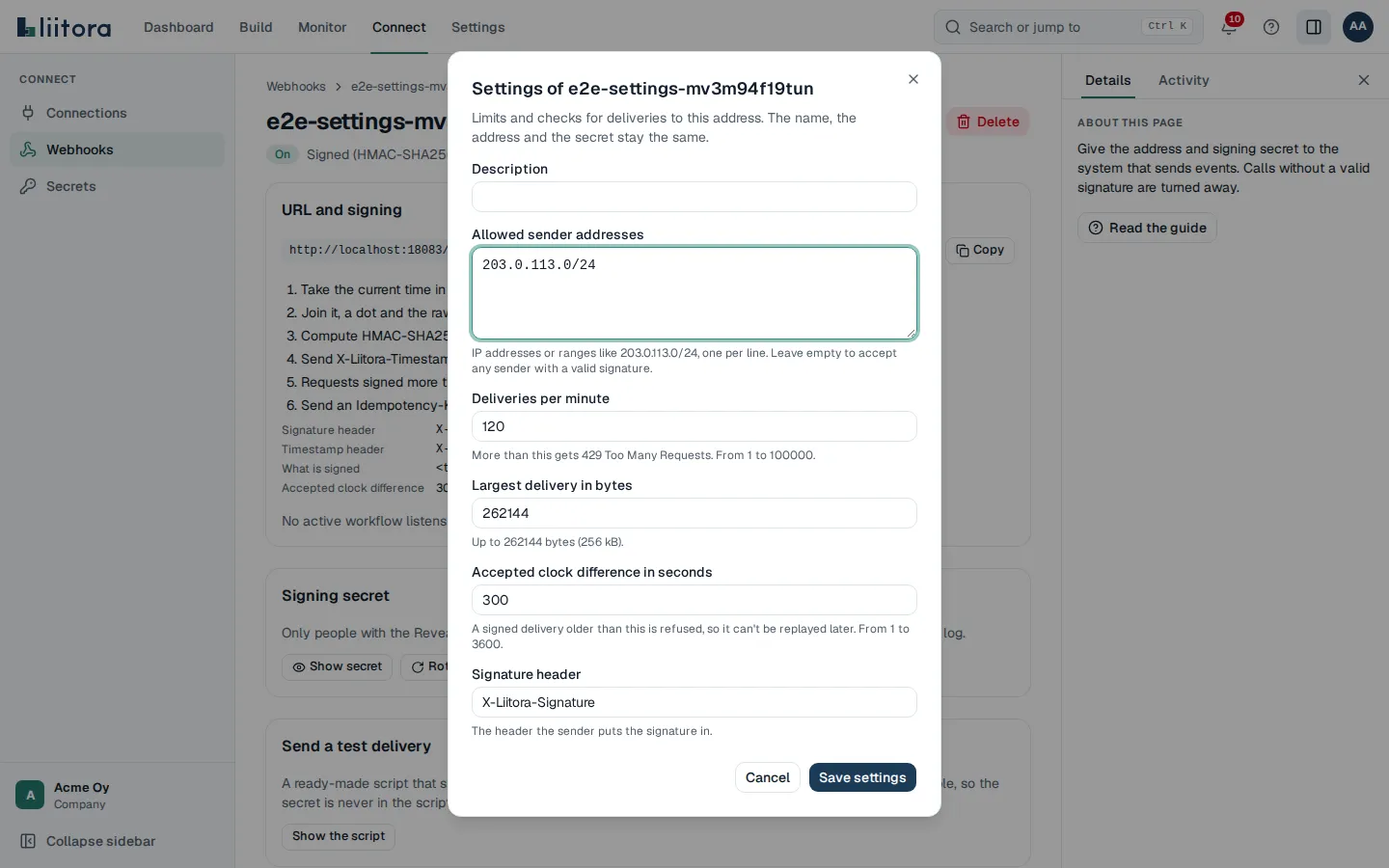
- Edit settings changes the Description, Allowed sender addresses (IP addresses or ranges; empty accepts any sender with a valid signature), Deliveries per minute (more gets 429), Largest delivery in bytes, Accepted clock difference in seconds (signed endpoints) and the Signature header (generic signed endpoints). The name, the URL and the secret don’t change.
- Pause and Turn on stop and start accepting deliveries. Delete removes the endpoint, its events and its secret. The URL stops working at once.