

Page: Secrets
Who this is for: people who add and look after the passwords and API keys your workflows use.
Before you start: everyone can see which secrets exist. To add, rotate or delete values you need the Manage secrets permission (Admin and Editor). To show a value you need the Reveal secrets permission (Admin).
Secrets are the passwords, API keys and tokens your workflows and connections use. Only people can see or change the values. AI assistants only see names and statuses.
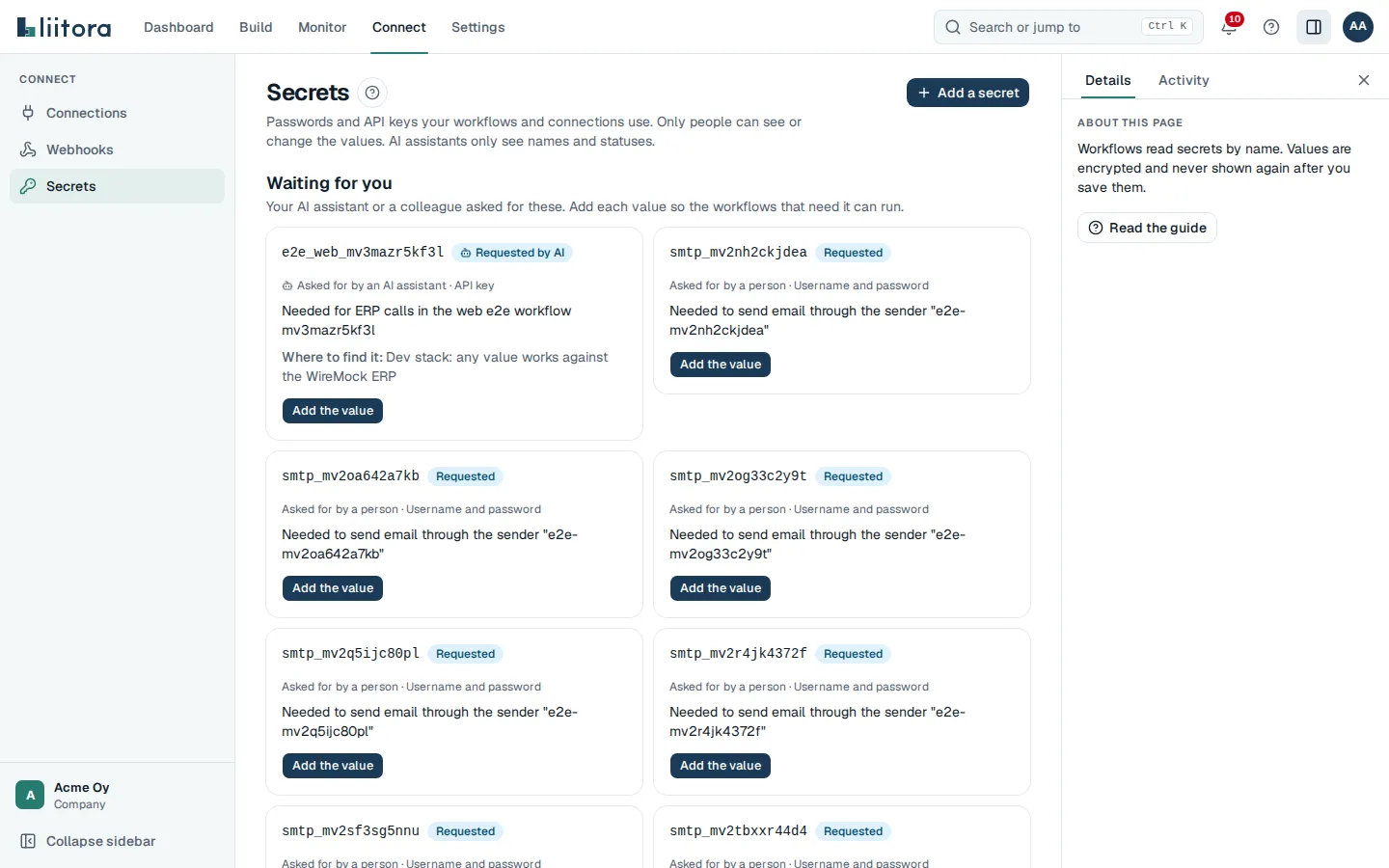
Waiting for you
Section titled “Waiting for you”Secrets that your AI assistant or a colleague asked for, with who asked (Asked for by an AI assistant, Asked for by a person or Asked for through the API), the reason, and Where to find it. Select Add the value to fill one in.
If you can’t manage secrets, the box says that someone who can needs to add the value.
All secrets
Section titled “All secrets”| Column | What it shows |
|---|---|
| Name | The name workflows use, for example visma_api. |
| Kind | API key, Username and password, OAuth client, Password, Text or Certificate. |
| Status | Requested or Requested by AI, Set, Expiring or Expired. |
| Used by | How many workflows or connections use it, or Not used yet. |
| Last changed | When the value was last changed, and whether by you or by a person in your team. No value yet when it was never set. |
| Actions | The buttons below. |
Buttons
Section titled “Buttons”| Button | What it does |
|---|---|
| Add a secret | Creates a secret: Name, Description, Kind, its fields and optional Expires on. |
| Add the value | Fills in a requested or expired secret. |
| Show value | Shows the value for 30 seconds, after you confirm with Show it. Each time is written to the audit log with your name. |
| Rotate | Stores a new value. Once it is saved, the previous value is destroyed and can no longer be read. |
| Delete | Removes the value and its history. If workflows or connections still use it, the dialog warns you. This can’t be undone. |
A secret with Expires on set is marked Expiring two weeks before that date. Admins also get email reminders. See Rotate and expire secrets.
When there are none, the page says No secrets yet.