

Use calendars and holidays
Who this is for: people whose scheduled workflows should not run, or should run a day later, on holidays.
Before you start: a workflow with a schedule. See Your first scheduled report. You change the schedule on the workflow’s YAML tab, or ask your AI assistant.
A schedule runs at the times its cron expression says. With a calendar, you can tell it to skip some days, such as Finnish public holidays, or to run on the next business day instead.
Add a calendar to a schedule
Section titled “Add a calendar to a schedule”Each entry under on.schedule can have a calendar with two keys:
skip_on: the calendars whose days are blocked.shift: what to do on a blocked day.none(the default) skips the run.next_business_dayruns it on the next business day at the same local time.
on: schedule: - cron: "0 8 * * 1-5" timezone: Europe/Helsinki calendar: skip_on: [fi_public_holidays] shift: next_business_dayThis runs every weekday at 08:00 Helsinki time. On a Finnish public holiday it runs at 08:00 on the next business day instead.
The calendars
Section titled “The calendars”| Calendar | Blocks |
|---|---|
fi_public_holidays |
Finnish public holidays |
se_public_holidays |
Swedish public holidays |
weekends |
Saturdays and Sundays |
tenant_blackouts |
Your company’s own blackout windows |
Days are local days in the schedule’s timezone. Each calendar can be listed once.
Finnish holidays: New Year’s Day, Epiphany, Good Friday, Easter Sunday, Easter Monday, May Day, Ascension Day, Whit Sunday, Midsummer Eve (the Friday between 19 and 25 June), Midsummer Day (the Saturday between 20 and 26 June), All Saints’ Day (the Saturday between 31 October and 6 November), Independence Day, Christmas Eve, Christmas Day and Boxing Day.
Swedish holidays: New Year’s Day, Epiphany, Good Friday, Easter Sunday, Easter Monday, May Day, Ascension Day, Whit Sunday, National Day (6 June), Midsummer Eve, Midsummer Day, All Saints’ Day, Christmas Eve, Christmas Day, Boxing Day and New Year’s Eve.
Midsummer Eve, Christmas Eve and (in Sweden) New Year’s Eve are not official public holidays, but almost everyone has the day off, so they are included on purpose.
What counts as a business day
Section titled “What counts as a business day”A business day is Monday to Friday and not blocked by any calendar in skip_on. Weekends are never business days, even when weekends is not listed.
How shifting works
Section titled “How shifting works”With shift: next_business_day:
- The run waits in the queue and starts at the same local time on the next business day. The run’s trigger data includes
shifted_from, the time it would have run. - Liitora looks up to 366 days ahead. If it finds no business day, the run is skipped.
- Runs that would land on the same time become one run.
For example, a weekday 08:00 schedule with skip_on: [fi_public_holidays] over Christmas 2025 runs on 23 December and then on 29 December. The run on 29 December also stands for 24, 25 and 26 December.
shift: next_business_day with an empty skip_on has nothing to shift around, so it gives the warning shift_without_skip_on.
Your own blackout windows
Section titled “Your own blackout windows”The tenant_blackouts calendar blocks days your company chooses, such as month-end close or an ERP maintenance weekend. A window can be a date range (at most 366 days), days of the week, days of the month (-1 is the last day) or a yearly range such as 20 December to 6 January.
To add one:
- In Settings, select Blackout windows.
- Select Add blackout days, give it a Name such as
month-end, and pick how it Repeats: Once, from one date to another, Every week, on some weekdays, Every month, on some days or Every year, from one day to another. - Fill in the days and select Add the days.
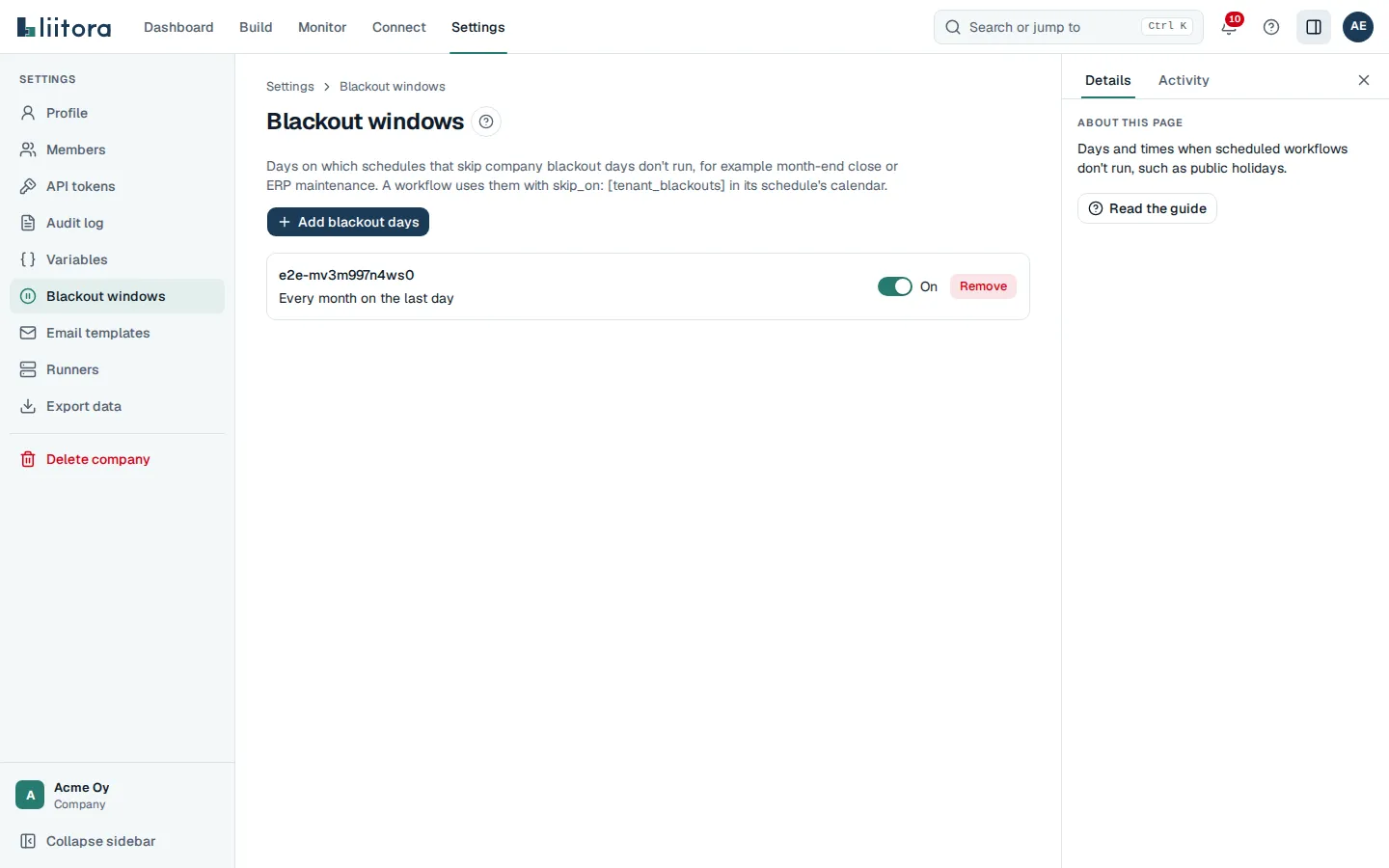
Untick On to stop a window for a while without removing it. Changes apply from the next scheduled slot. Admins and editors can change the days; everyone sees them. With the REST API, use GET and POST /api/v1/blackout-windows, and PATCH ({"enabled": false}) or DELETE /api/v1/blackout-windows/{id}.
Only schedules that list tenant_blackouts under skip_on are affected.
Time zones and daylight saving time
Section titled “Time zones and daylight saving time”Always set timezone to an IANA time zone such as Europe/Helsinki or Europe/Stockholm. The default is UTC.
For a schedule at a fixed time, such as 0 3 * * *:
- On the spring change day, a time that does not exist (for example 03:30 in Helsinki) runs once, at the first valid time after it.
- On the autumn change day, a time that happens twice runs once, the first time.
Schedules that repeat through the day, such as every 15 minutes, follow real time: the missing hour has no runs, and the repeated hour runs twice.